Our tester runs their campaign setting in Edda and, in their words, is used to being well spoiled by the wiki tools Game Masters build their worlds in. Their list asked for exactly those comforts. Every item on it is in this release.
A tree, not a list
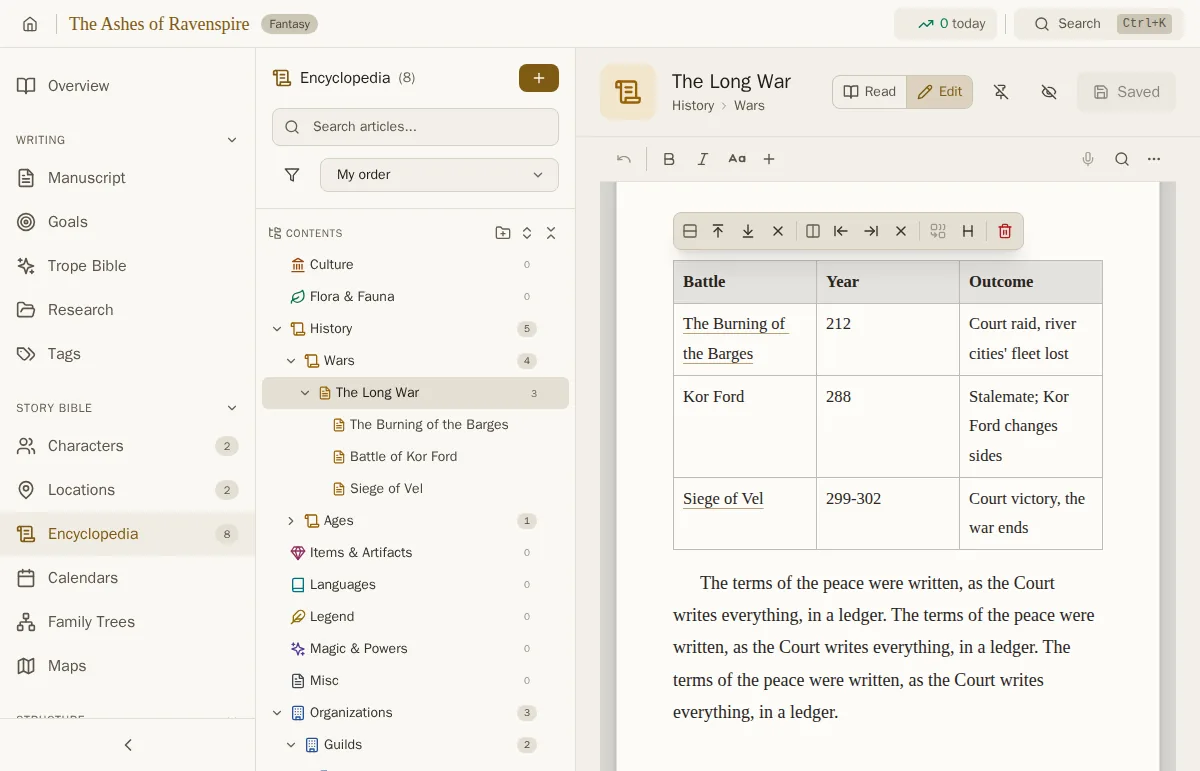
The Encyclopedia's categories now open and close in a tree down the side of the page. A category can hold sub-categories, as many levels deep as you like: History, then Wars, then the wars themselves. An article can hold sub-articles too, the way a chapter holds sub-chapters, so the Long War can carry its battles beneath it.
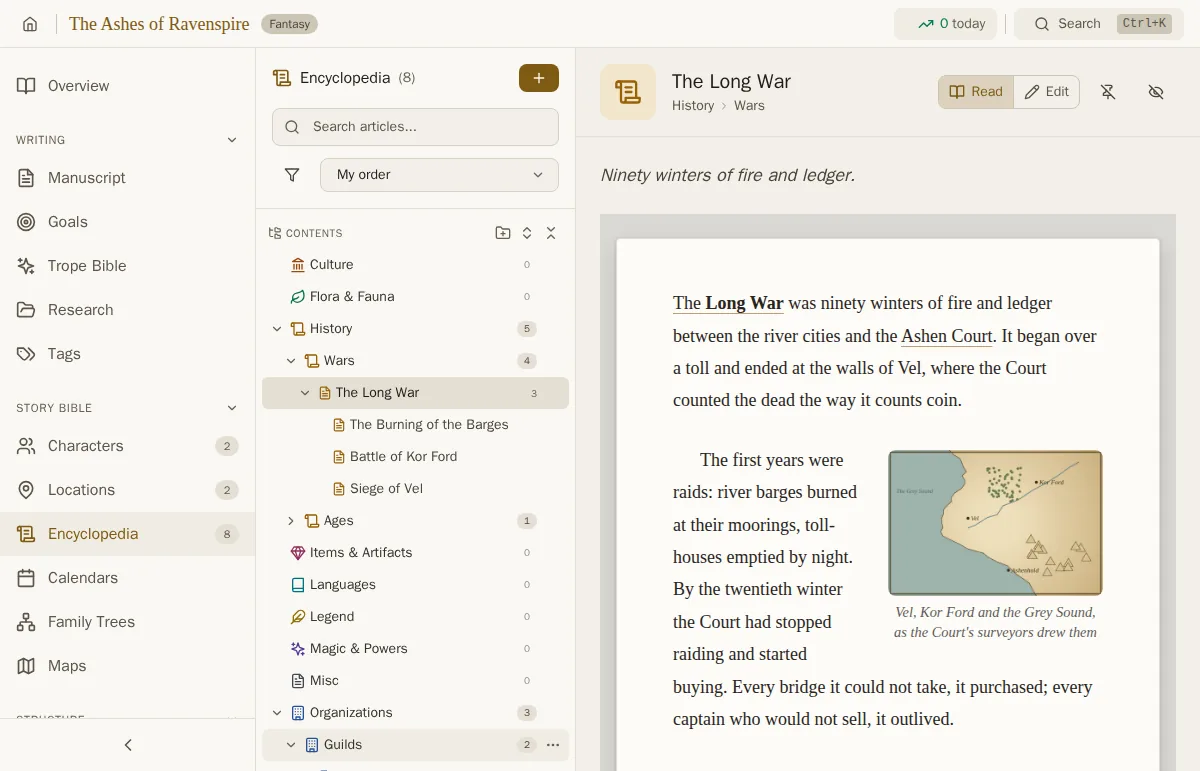
The order is yours, like the manuscript's. Drag an article or a category to put it before, after or inside another, or use a row's menu to move it up, down or somewhere else entirely, which is also how it works on a phone. Tags and search still filter on top, opening the branches that lead to a match, and sorting by title or date works within each branch. Edda remembers which branches you left open.
Counts everywhere
Every category shows how many articles it holds, sub-categories included, so a glance tells you where the world is thin. The sidebar shows the same for the whole project: how many characters, places, articles, factions, facts, sessions and maps you have, beside each one.
Articles open to read
What you write in an encyclopedia is mostly what you read back at the table, so an article now opens as it reads: the cover, the summary, the text with its pictures and tables, its sub-articles and its gallery, with nothing you can change by accident. Press Edit, or Ctrl+D (Cmd+D on a Mac), to write; going back to Read saves. A new article opens ready for writing. Above the title, a trail shows where the article sits: its category, sub-category and the articles above it.
Pictures beside the text
An article can now hold pictures in its text. Put one on the left or right with the text flowing around it, centre it on its own line, or let it run the full width, at a quarter, a third, half, three quarters or all of the page, with a caption underneath. Insert one from the Insert menu, or paste or drop a picture straight in. A small menu over the picture changes all of it.
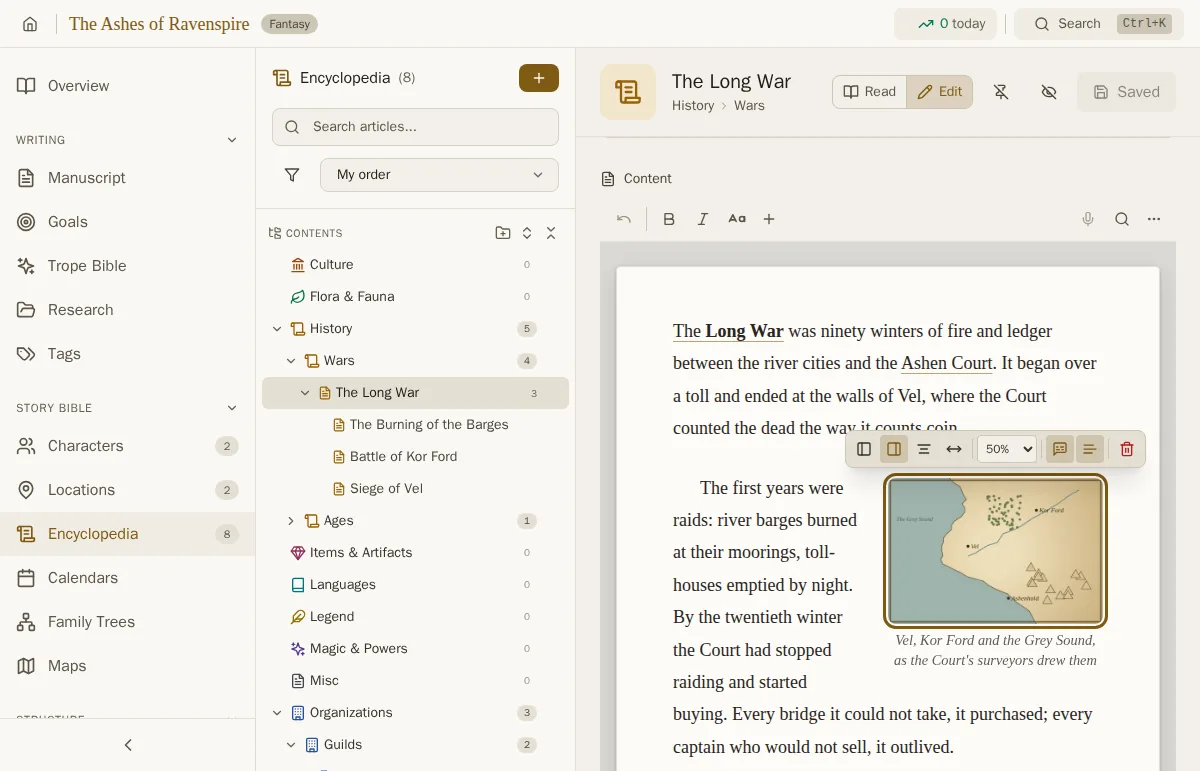
Pictures are kept inside your project like portraits and maps, so they travel with your project file, your sync and your backups, and they go into player handouts with the text.
Pictures in your manuscript
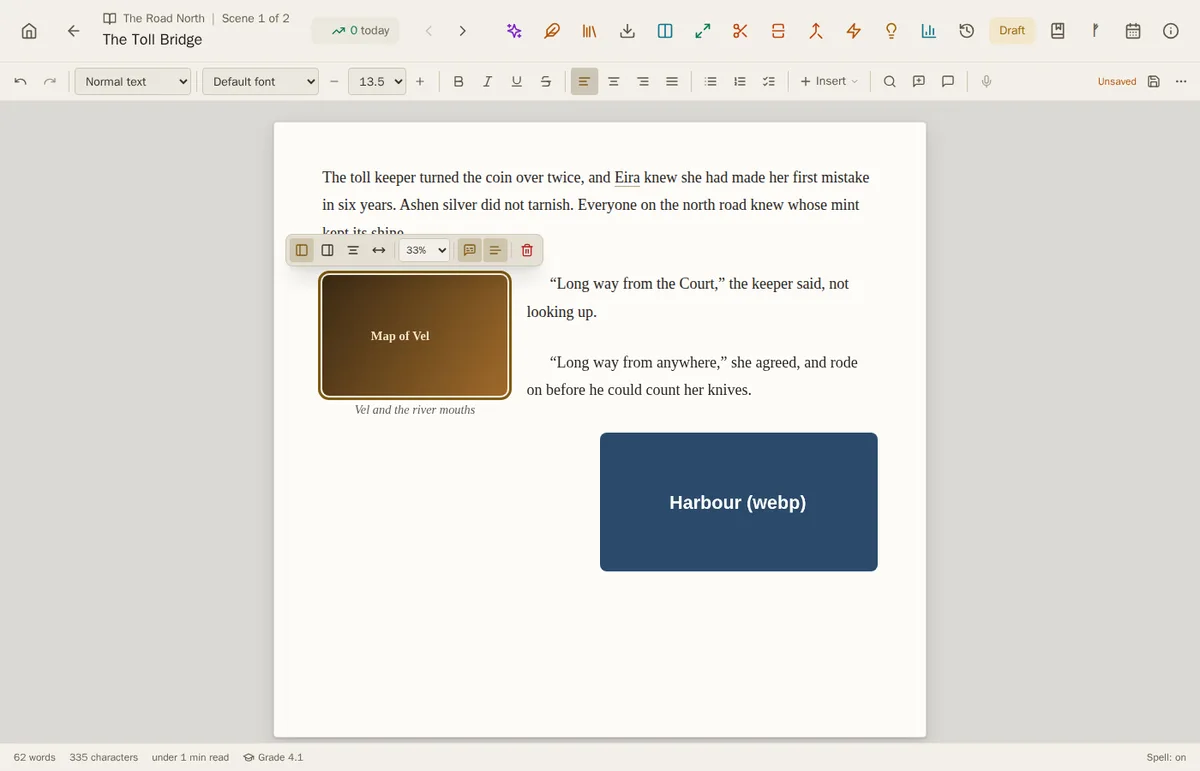
The same pictures work in your chapters: a map at the start of a chapter, a letter or a sketch where the story needs it, placed and captioned the same way. When you compile, they go into the book: Word and PDF set each picture on its own line, at its width and on its side, with its caption beneath it; an EPUB keeps them beside the text where you put them. Markdown and plain text exports mark where each picture was.
Tables and infoboxes
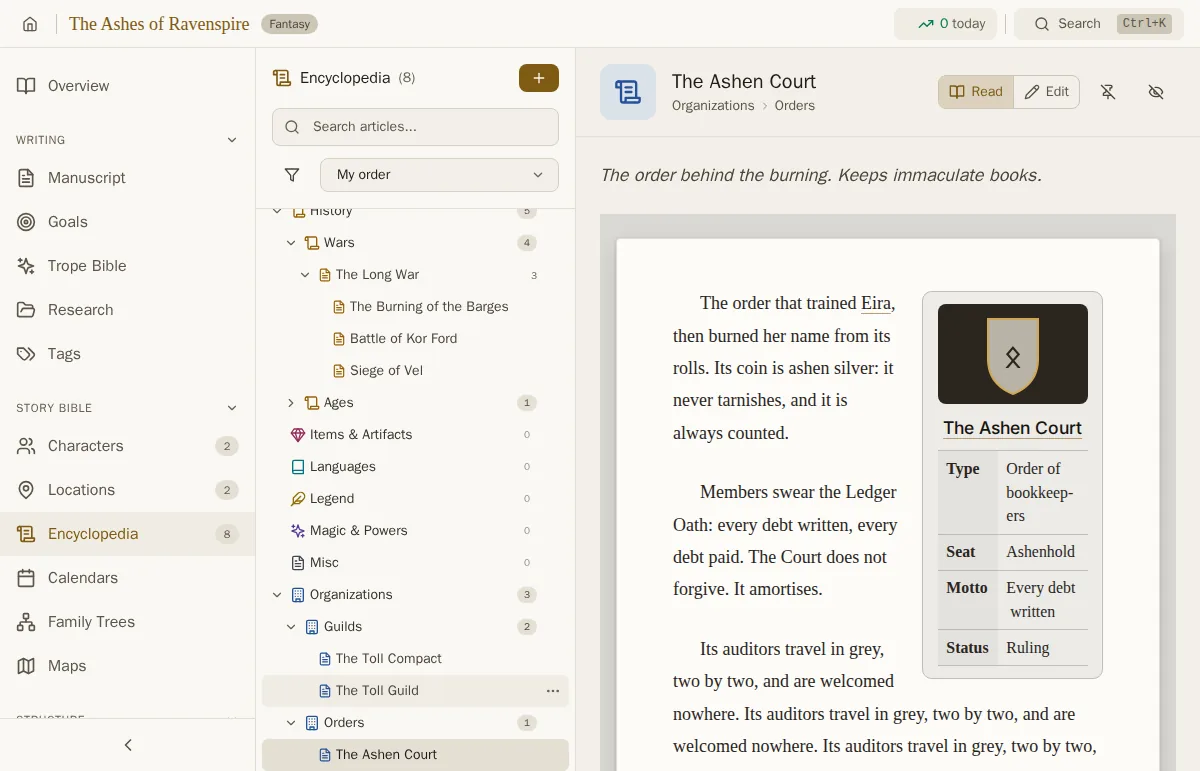
Articles take tables now, with a header row, columns you can resize and cells you can merge, for the battles of a war, the ranks of an order or the prices at a market. And there is the infobox, the boxed panel on the side of a wiki page: a picture, a title and a table of key facts, sitting beside the text on the right or the left.
The toolbar stays where you need it
In a long article the formatting toolbar used to scroll away with the text. It now stays at the top of the page while you write, so bold, a picture or a new table is always one click away.
Fixes
Exporting a world bible with the Encyclopedia included failed; it works again, and now follows the tree, with a heading for each category and sub-articles a level below their article. Tables come out as Markdown tables.
Getting 6.4
Edda 6.4 is a free update for every Edda owner, on Windows, macOS, Linux, Android, iPhone and iPad. On Windows, macOS and the Linux AppImage, your installed copy updates itself. If you use the Linux .deb, download the new version from the download page and install it over the old one; your projects stay where they are. On Android and iOS the update arrives through Google Play and the App Store.
Want to try it first? The live demo runs in your browser and saves nothing. For the previous release, see the Edda 6.3 release notes, and for campaign prep, the Campaign Mode guide.
Build your world the way you read it
A full word processor, a story bible that spans a series, campaign prep and publishing, in writing software you pay for once. No subscription, no AI, fully offline.
Get Edda from $39.99