AppImage and .deb
Download a single AppImage and run it anywhere, or install the .deb on Debian and Ubuntu. The AppImage updates itself; for the .deb, install the new package from your download page. No Wine, no emulation.
For Linux writers
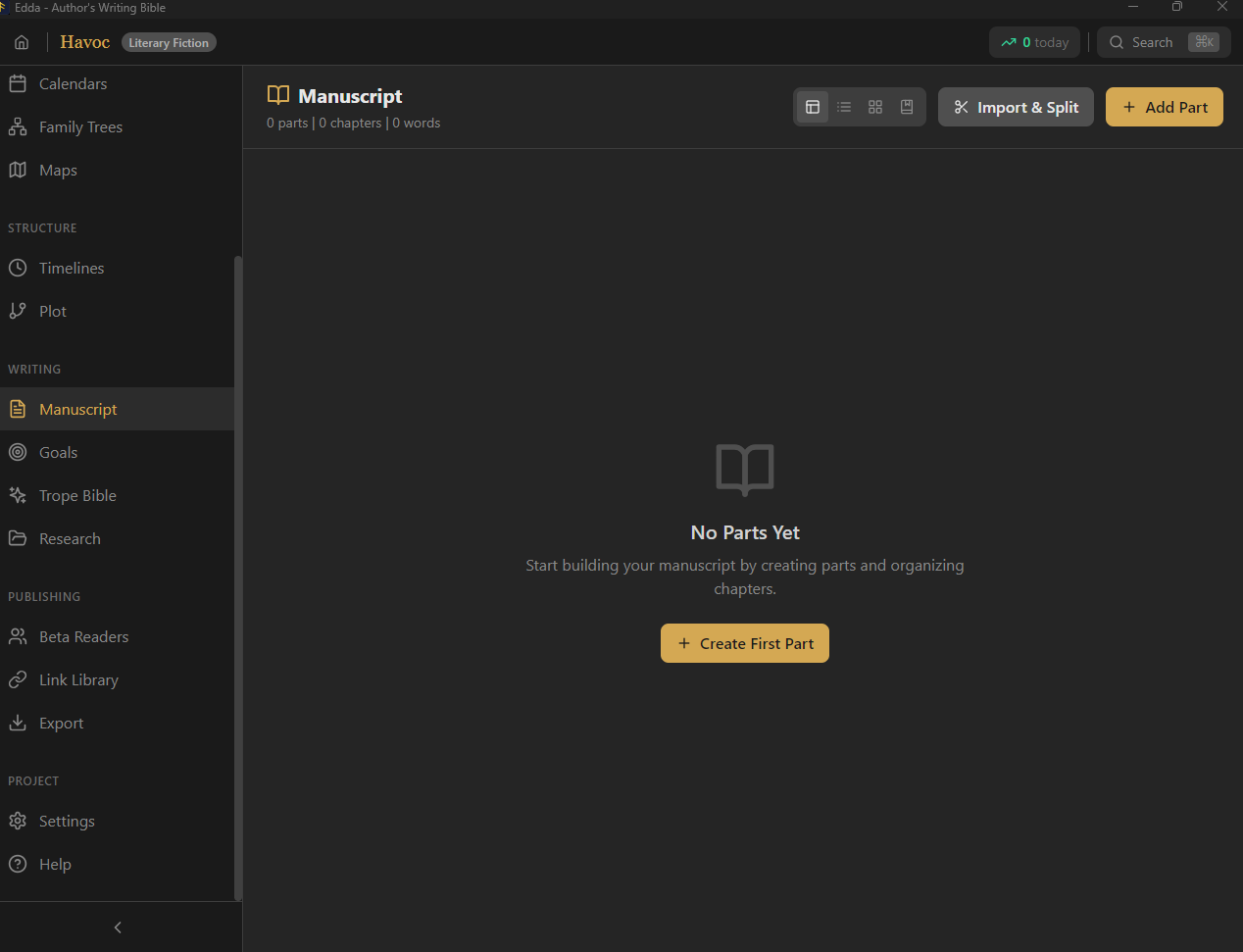
Edda is a full writing studio that runs natively on Linux. Not Scrivener under Wine. Not a browser tab pretending to be an app. The complete thing, manuscript to published file, fully offline and bought once.
Linux writers have spent years settling. The serious novel-writing apps never came to your platform, so you made do.
Scrivener has no Linux build. Ulysses is Apple only. Most of the modern tools are cloud apps in a browser. So Linux authors end up in LibreOffice with a folder of notes, or running Windows software through Wine and hoping it does not break mid-draft. Edda was built to end that compromise.
What native actually means
Native means it installs and runs like any other Linux application, performs like one, and does not depend on a compatibility layer or a live connection.
Download a single AppImage and run it anywhere, or install the .deb on Debian and Ubuntu. The AppImage updates itself; for the .deb, install the new package from your download page. No Wine, no emulation.
Everything runs on your machine. Your manuscript never leaves the disk it lives on. Write on a laptop in airplane mode and nothing changes.
The Linux build is not a stripped-down port. It is the same Edda as Windows and macOS, with every feature, updated at the same time.
The whole studio, on Linux
Edda replaces the word processor, the wiki, the spreadsheet and the export tool with a single application that runs natively on your distribution.
Parts, chapters and scenes in a drag-and-drop tree, twelve writing modes, typewriter focus mode, automatic saving and offline dictation.
Explore writingCharacters, relationships, custom calendars, family trees and a searchable encyclopedia for your lore.
Explore worldsA deterministic assistant: prompts, spell check, style flags and readability. No AI model, no network.
Meet the SkaldTen story-structure templates and a visual timeline that shows tension across every plot thread.
Explore plottingCompile real EPUB, PDF and DOCX with trim sizes, front matter, ISBN checks and print checks for KDP and IngramSpark.
Explore publishingShare drafts through an online reading portal or as fingerprinted files, track NDAs and collect feedback without losing control of your book.
Explore beta toolsMade for Scrivener refugees on Linux
If you loved Scrivener but switched to Linux and lost it, this is the gap Edda was built to fill. You keep the organised, long-form workflow and gain a world bible, plotting and publishing, all native.
No bottles, no broken updates, no rendering glitches. A native binary that behaves like the rest of your desktop.
The $39 Windows + Linux licence key works on both, on up to three devices. Move between machines and distros and your work and licence come with you. Add a Mac with the $39 macOS licence, or get every platform in the $79.99 Complete Bundle.
No subscription and no cloud lock-in, which fits how most Linux users prefer their software in the first place.
Questions, answered
Yes. Edda ships as a native Linux build, distributed as an AppImage and a .deb package. It is not Scrivener under Wine and it is not a browser tab. It is the same full application that runs on Windows and macOS.
The AppImage runs on most modern 64-bit distributions with no installation, including Ubuntu, Fedora, Debian, Mint, Pop!_OS, Arch and openSUSE. A .deb package is provided for Debian and Ubuntu based systems.
Yes. Scrivener has no native Linux version, so Linux writers usually fall back to LibreOffice or web apps. Edda gives you manuscript organisation plus worldbuilding, story structure, the offline Skald and publishing, all native on Linux and bought once. See the full Edda vs Scrivener comparison.
Completely. Writing, worldbuilding, the Skald and publishing all run with no internet. Your manuscript lives on your own machine and never touches a server unless you switch on optional backup.
A native, offline, full-featured writing studio for the platform you already chose. One purchase covers Linux and Windows, and it is yours for good.
Get Edda from $39