Until now your story bible and your manuscript sat side by side: you wrote in one and looked things up in the other. Version 6.1 brings them together, so the facts you have written down follow you onto the page. Everything here is rule-based and runs on your own device. There is no AI, and nothing you write leaves your device.
Names that know who they are
When a scene mentions a character or a place you have written up, its name gets a thin gold underline in the editor. Hover over it on the desktop, or tap it on a phone, and a card shows the rune, the role, their age in this scene (for example "22 years old in this scene"), the description, and an Open button that takes you straight to the full entry.
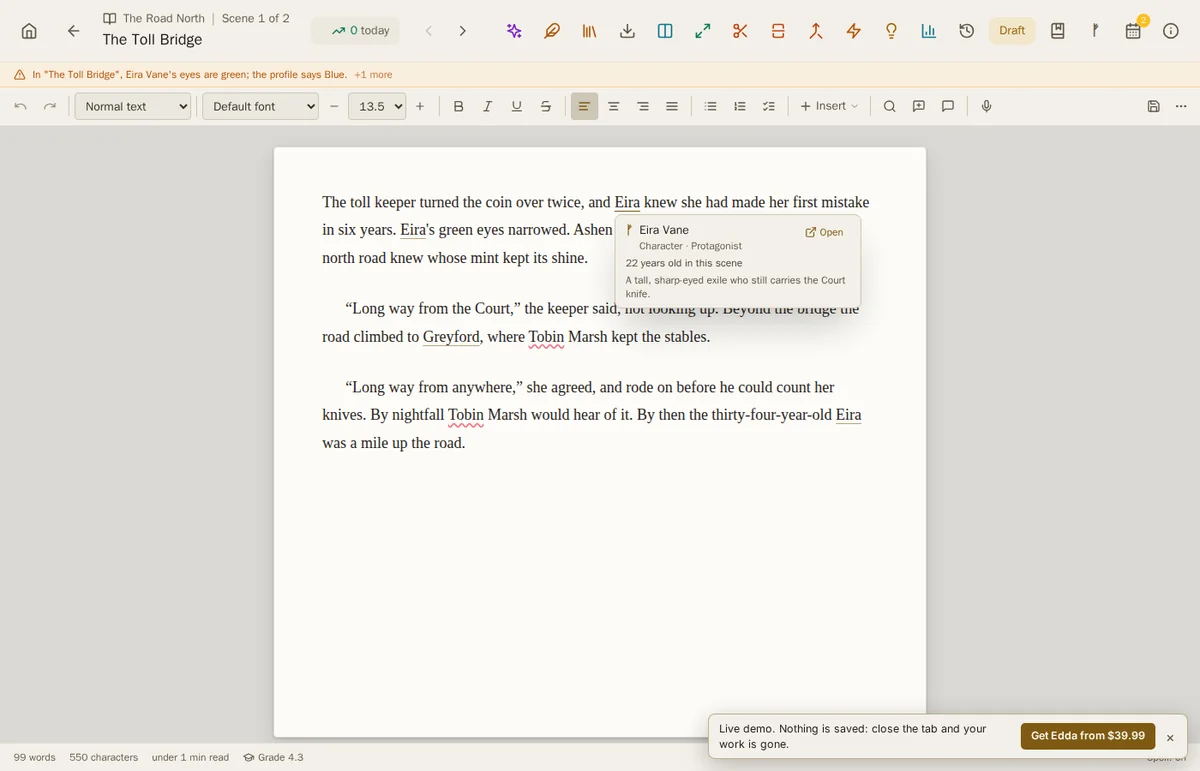
If a name matches more than one entry, say two characters who share a first name, the underline is dashed and the card lists both, so you never open the wrong one.
The ᚠ panel in the scene writer
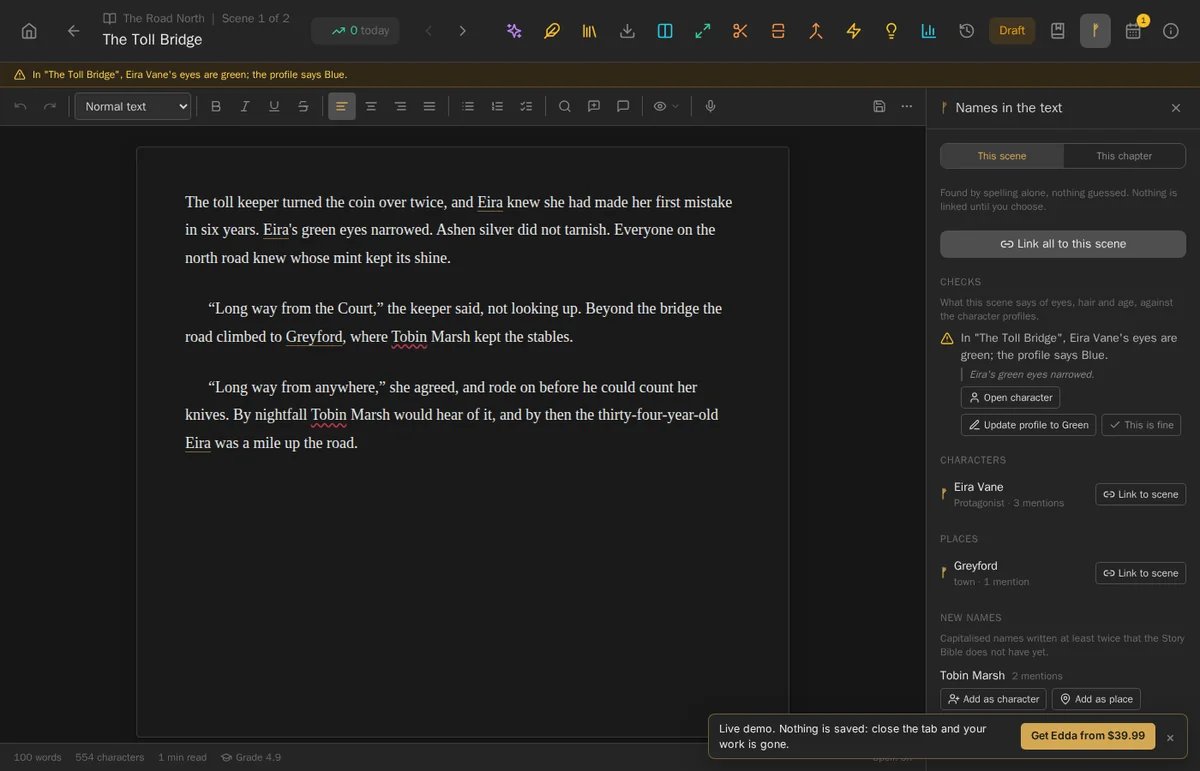
A new panel, opened with the ᚠ rune button in the scene writer, shows what the scene is about at a glance:
- The characters and places the scene mentions, each with a Link to scene button, or link them all at once.
- Names in the text that are not in your project yet, such as a new character you have just introduced, with buttons to add each one as a character or a place.
- Any fact checks for the scene, described below.
Names are found by their spelling alone. Nothing is guessed, and nothing is linked until you choose.
Fact checks against your profiles
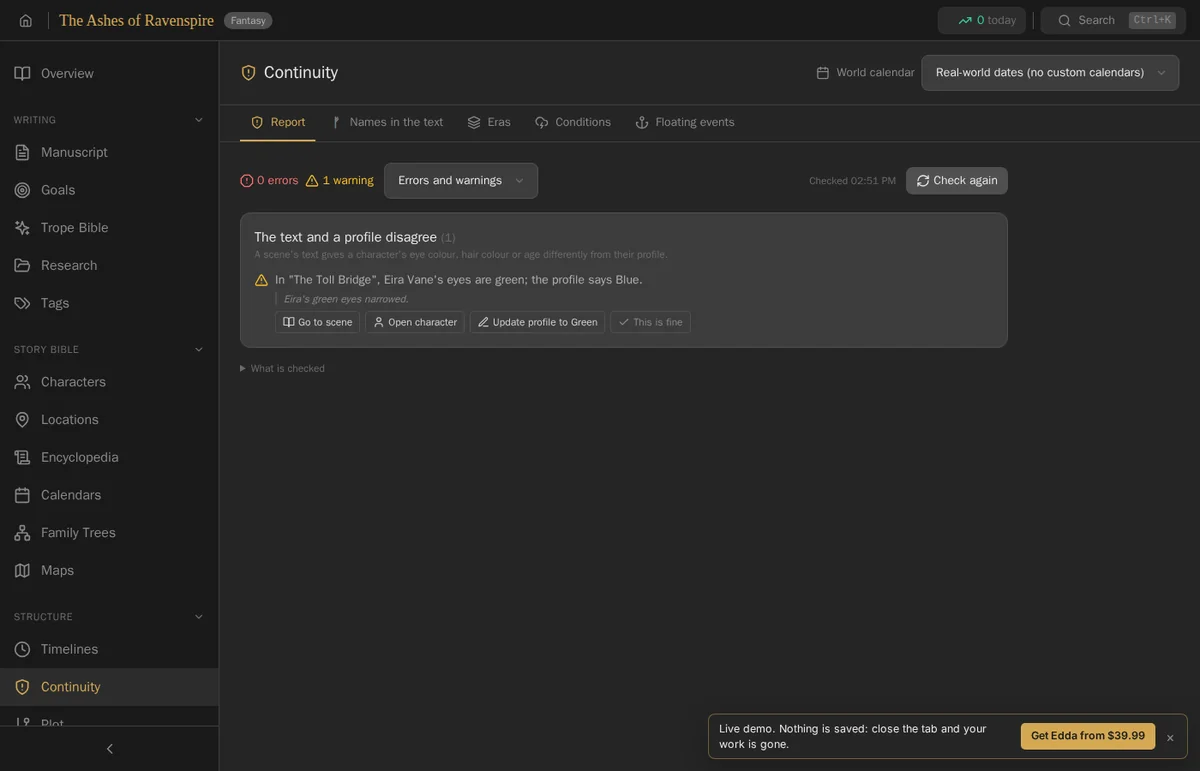
Edda now compares your prose with your character profiles. If a scene says "Eira's green eyes narrowed" and her profile says her eyes are blue, Edda tells you so, quotes the sentence, and gives you three choices: Open character, Update profile to match the text, or This is fine if the difference is deliberate. It also flags a character who has died appearing alive in a later scene.
These checks appear in the scene writer and on the Continuity page, which also gains a Names in the text tab that scans your whole manuscript for the characters and places each scene mentions.
A character's life, in order
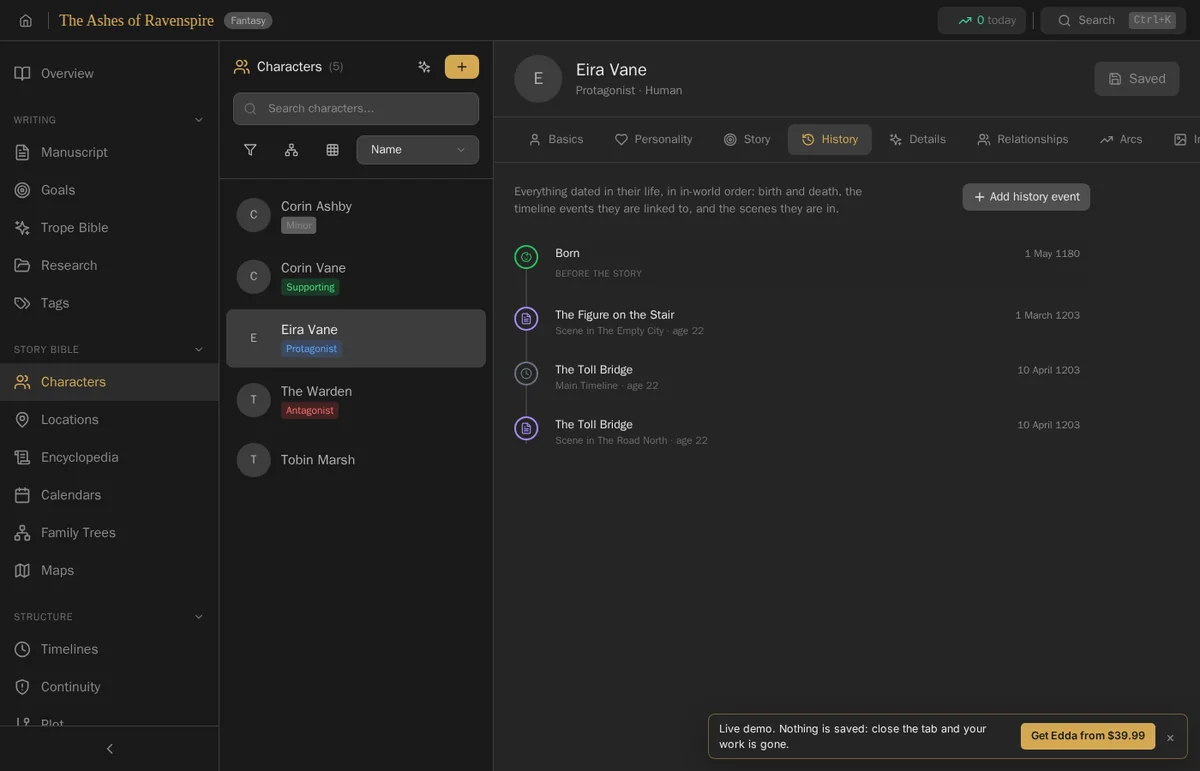
Characters have a new History tab: everything dated in their life, in the order it happened in your world. Their birth comes first, marked "before the story", followed by the scenes they appear in and the timeline events they take part in, each with their age at the time.
Who was there
Timeline events now have an Involved section, where you add the characters and places each event involves. That is what puts events into a character's history, and what lets Edda warn you when a character takes part in an event before they were born or after they died. You can also add an event to the timeline straight from the scene writer and the manuscript, and on phones as well as the desktop.
Dates from your own words
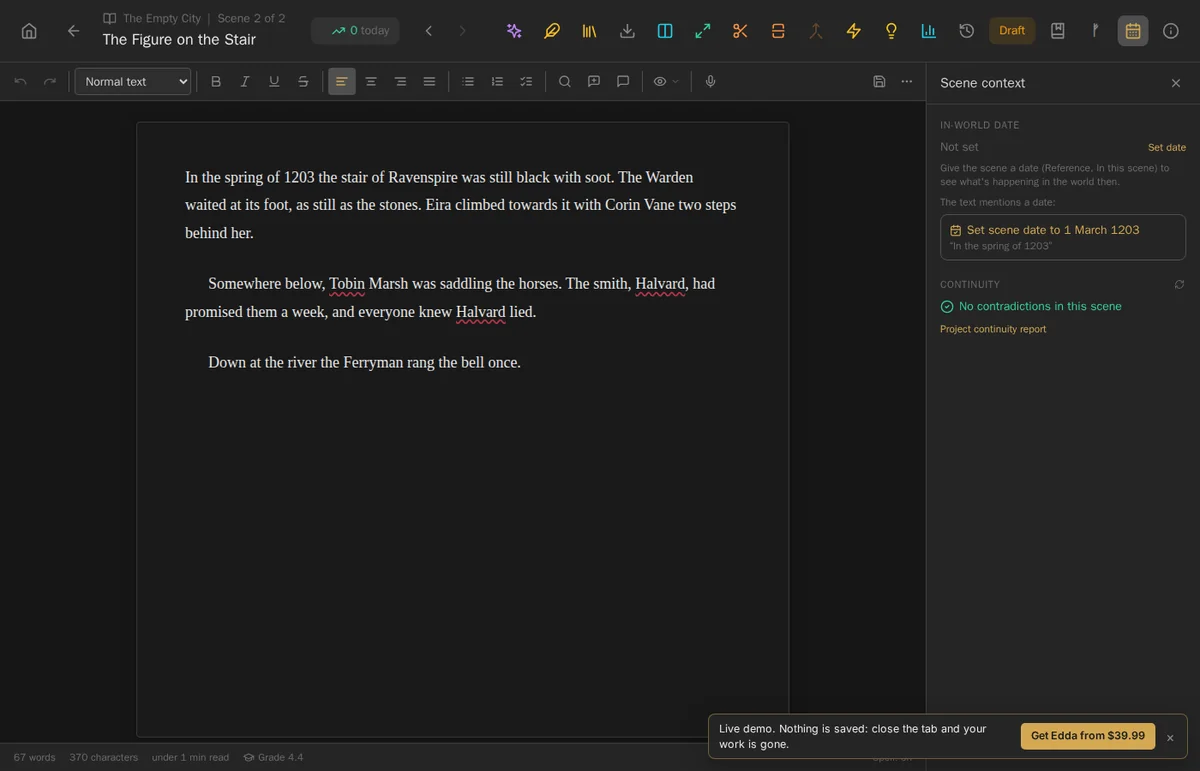
Write "In the spring of 1203" and Edda offers to Set scene date to 1 March 1203. Nothing changes until you accept. It works in other languages too, so a German writer's "Im Frühjahr 1203" is read the same way.
A rune the right way up
The Fehu rune in Edda's app icon now has its branches rising the right way, as the rune is written. And on Android, the home screen now shows Edda's own icon instead of a placeholder.
Fixes
This release also carries a round of fixes reported by our beta testers. Thank you, all of you.
Getting 6.1
Edda 6.1 is a free update for every Edda owner, on Windows, macOS (Apple Silicon), Linux and Android. On Windows, macOS and the Linux AppImage, your installed copy updates itself. If you use the Linux .deb, download the new version from the download page and install it over the old one; your projects stay where they are.
Edda 6.1 is coming to iPhone and iPad as soon as Apple approves it. You can join the waitlist to hear the moment it is out.
Want to try it first? The live demo runs in your browser and saves nothing. For the previous release, see the Edda 6.0 release notes, and for the rest of the story bible, the worldbuilding guide.
Your world, on the page
A full word processor, a story bible that knows your cast, beta readers and publishing, in writing software you pay for once. No subscription, no AI, fully offline.
Get Edda from $39.99